




Winairlines Login
The Winairlines login is where you access your profile. Each player holds one account, and the same credentials work across desktop and mobile. It covers both the Casino and Sports sections. Your session data and balance update in real time across all devices.



Winairlines Registration
Creating a Winairlines Casino account takes under two minutes. Once registered, real-money games and active promotions become available to you. The personal dashboard lets you manage deposits and set personal limits. If you are not registered, games run in demo mode only. New players receive a welcome bonus split across the first deposits.
Why register at Winairlines Casino:
- Real-money games across all categories become available after sign-up
- New players receive a welcome bonus, with further promotions running on a weekly cycle
- The personal dashboard covers deposits, spending limits, and transaction history in one place
- Support is available around the clock, with live chat accessible directly from your profile
- Account security includes two-factor authentication and a full log of past sessions
Create Your Account
Registration at Winairlines Casino takes under two minutes.
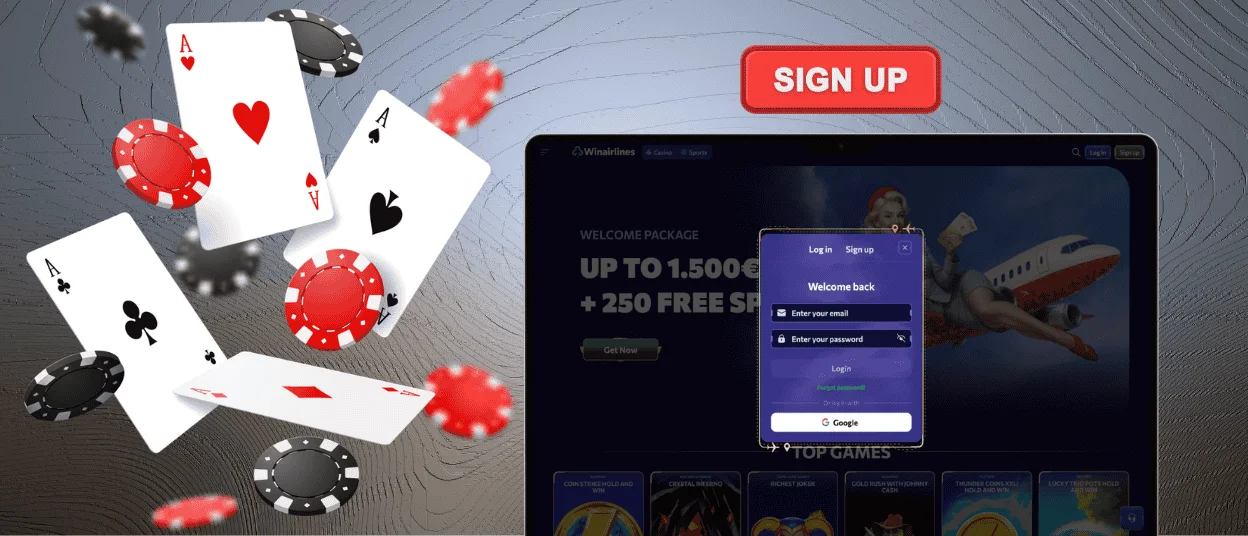
- Open the Win Airlines website and select “Sign Up” in the top navigation bar.
- The form asks for your email and a password, plus personal details including date of birth to confirm you are 18 or older.
- Check your inbox for an activation email from Winairlines Casino and follow the link inside to confirm your registration — you cannot log in until this step is complete.
Once you are set up, go to the “Wallet” to select your payment method and make your first deposit. The welcome bonus activates automatically. If you have a promo code for a different promotion, enter it in the bonus code field at the deposit step.
Winairlines Login and Account Management
To log in to Win Airlines Casino, select the “Log In” button in the top-right corner of the homepage. Enter your registered email and password. If you have 2FA enabled, enter the one-time code when prompted.
Once inside, the dashboard gives you access to five key sections:
- Wallet — shows real money and bonus funds separately, so you always know what is available for withdrawal. Deposits and withdrawal requests both go through this section, where withdrawal limits are also displayed.
- History — gives you a timestamped record of sessions and payments, including any bonuses used.
- Profile — stores personal details and contact information.
- Security — lets you set or change your password and manage two-factor authentication.
- Gambling Controls — let you place limits on your deposits and session time. Any change takes effect immediately without contacting support.
Forgot Your Password?
Lost your Winairlines password? Select the “Forgot Password?” link on the login screen, enter your registered email address, and we will send a reset link. The link expires quickly, so use it as soon as it arrives.
If that email address is no longer accessible, reach our Support Team via live chat. Agents are available 24/7 and will verify your identity before restoring your access.
A password reset alone will not restore entry when your 2FA device is unavailable. Our Support Team can confirm who you are and remove the 2FA requirement — contact them via live chat.
Verification at Winairlines Casino
Winairlines Casino runs a KYC check before releasing withdrawals. All data you submit is protected by SSL encryption. Submit your documents early — after verification, your profile has no further withdrawal restrictions.
Open your profile, go to the verification section, and upload the required documents. The table below shows what we accept for each document type:
| Document Type | Accepted Examples |
| Identity Document | Passport, national ID card, driver’s license |
| Address Proof | Utility bill, bank statement (last 3 months) |
| Payment Method Ownership | Card photo, e-wallet screenshot, bank statement |
Our team reviews documents within 24 to 48 hours and notifies you by email when verification is complete. If any document needs clarification, we contact you directly rather than placing the request on hold.
Your verified status is stored on your profile. Win Airlines Casino requests additional documents only if your account activity triggers a compliance review.
FAQ
Can I play while my account is being verified?
Yes. You can play and deposit while verification is in progress. We hold withdrawals until the review is complete. Once our team approves your documents, cashouts become available without further delay.
Can I change my password or email address?
Go to the Security tab in your Winairlines profile to update your password or email address. Email changes require confirmation at the new address before they take effect. Password changes apply immediately. If you have trouble with either, contact Support.
What should I do if my account is locked?
We lock accounts temporarily after several failed Winairlines login attempts or when we detect suspicious activity. Speak with an agent via live chat — they will review the lock reason and restore access once the check is done.
How do I close or temporarily suspend my account?
Use the self-exclusion option in the Gambling Controls section of your profile for a temporary break. Self-exclusion activates as soon as you confirm it. For a permanent closure, contact our Support Team via live chat — any remaining balance will need to be withdrawn before closure. Win Airlines Casino will not reopen your account before the self-exclusion period ends.


